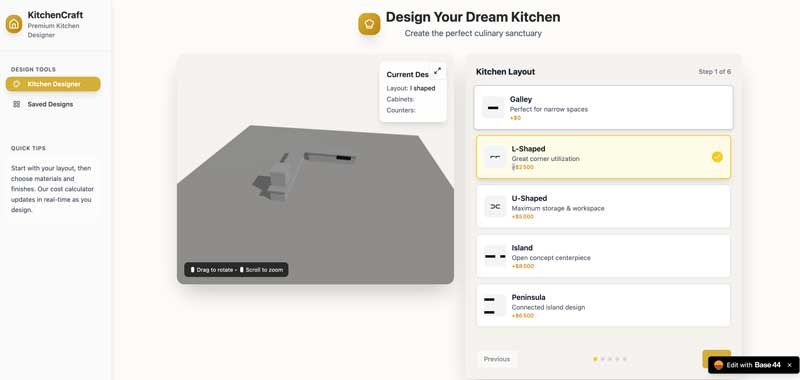
Building a kitchen in a few steps is what I asked to BASE44 , new ai application maker htat created in 3 prompts a very nice kitchen designer desktop interface with configuration saver . Of course the R3F react based 3D rendering looks a bit sad but that would require a few hours of human artist creativity. Here a the 3 successive prompts I used
- kitchen builder
This is the most interesting step, as the machien goes real far for a first try. at this stage, base 44 build a 6 steps product configurator with common kitchen options : layout, appliances, material, color. But I was expecting real time rendering . It also includes a cost calculator, and feature to save designs. But obvisously I was expecting real time 3D represention of my choices. - can you add 3D rendering ? reduce choice area to have half window 3D rendering
Yes base44 produces the nice 2 column layout you see on the thumbnail. Last thing I wanted to try was the abilituy to reopen a saved design : the basic feature it delivered only included a text based summary of my choices . - in saved designs page, can I reopen configurator with saved configuration
this feature was the hardest to implement, it actually requires two prompts. First on adds the “edit” button on saved designs.. new prompts obviously should develop the feature . I actually needed to insist on that one, with success after a few repeating prompts. - rendering of saved design does not render saved design
- still not reopening existing design in 3D view and choices
- edit view still not working
now works !! I did not have to interfere with the process by stepping into the code to get that one working (inline code editing is for paying customers only). Impressive. Responsiveness now. One last thing that’s missing there is the ability to display the 3D and form together on mobile screens. - can you make this layout mobile friendly
good job here refactoring ui on mobile screens !